|
|
|
|
|
It is possible that the download link provided above does not refer to the intended version.
If you are looking for Circuit Construction Kit (DC Only), you may try searching for a download link using
Google.
This software was checked for viruses 5 months ago and was found to contain no viruses.
Click here
to see antivirus report.
|
|
| |
|
Review
This is official description applies to version 3.2
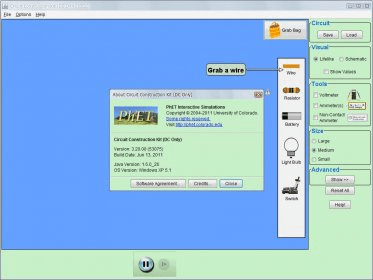
Build circuits with resistors, light bulbs, batteries, and switches. Take measurements with the realistic ammeter and voltmeter. View the circuit as a schematic diagram, or switch to a life-like view.
Sample Learning Goals are : discuss basic electricity relationships, build circuits from schematic drawings, use an ammeter and voltmeter to take readings in circuits, provide reasoning to explain the measurements and relationships in circuits, discuss basic electricity relationships in series and parallel circuits.
The following review written by one of the Software Informer contributors applies to version 3.1
Circuit Construction Kit (DC only) is an electric simulation model. It allows you to create circuits on your screen. You can add wires, resistors, batteries, light bulbs, and switches. It allows you to make very basic circuits. Bear in mind that this is a simulation that illustrates some of the principles of basic direct current circuitry. I don't think the tool is suitable for circuit testing. It was more likely intended to teach the basics of making circuits.
To create a working circuit, you need to add a power source. In this case you can drag a battery to the screen. Then, you connect it to some wiring to both negative and positive ends. The wires will hopefully go to a light bulb. If you don't add resistors to the circuit, you will fry the light bulb. When the circuit is completed, the light bulb will light up. You can also add a switch to control the circuit. At the top of the screen there is a button Grab Bag. Inside this imaginary bag, there are a few objects that you can use with your circuit: a dog, a hand, a penny, a pencil, etc.
There are also a few tools that you can use to measure your circuit current. There is a voltmeter, an ammeter, and a non-contact ammeter. Those can be added to the screen, and you need to drag and drop them to contact points for them to work.
In short, this application proves to be a very fun way of learning the basics of circuitry making. |
- Easy to figure out and use.
- Very illustrative.
|
|
|
Reviewed by: José Fernández Reviewer rating: Reviewed: Last year
|
What's new in version 3.2
- added new translation credits features
- Component values are accepted after typing in the component editor and clicking elsewhere, instead of requiring the user to press "OK" first
- Fixed: sometimes dotted circle junctions are left behind,
- Prevent electrons from bunching up in pairs,
- Improved quantitative accuracy of the physics engine for circuits with capacitors and inductors
- Removed show equations feature,
- Added "virtual lab" simulations |
|
Report a wrong version
Report a wrong program title
Suggest a correction
|
Screenshots
All 5 screenshots |
|
|